
Written by Mat O'Connor
The average Shopify store runs somewhere between 15 and 25 apps, and I’ve yet to meet an owner who knew how bad theirs had got.
Every one of them got installed for a reason that made sense on the day. A loyalty scheme, a reviews widget, a countdown timer for a Black Friday three years ago that nobody thought to take out again. Individually they’re fine. Together they’re eating your conversion rate.
What happens when you install an app
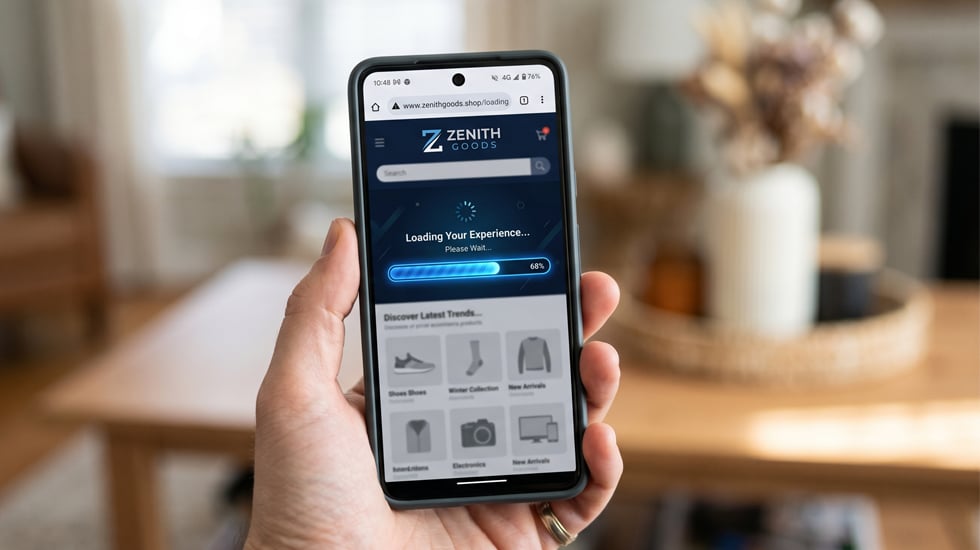
Every app injects code into your theme: scripts, stylesheets, tracking pixels, and a good chunk of it loads whether the feature is being used on that page or not. Your customer never sees the app. They see a slow page.
Google’s own data puts a one-second delay at roughly 7% off conversion, so on a store doing £2m a year that’s £140,000 from one second. Most of the over-appified stores I look at aren’t losing one second either, they’re losing three or four.
The usual suspects
Some apps are light and some are a nightmare. The ones I see doing the most damage, fairly consistently:
- Reviews apps: Yotpo, Judge.me, Okendo. All good products, all shipping a serious amount of JavaScript. If you’re loading a review widget on every product page you’re paying that tax on every page view, including the products with no reviews on them yet.
- Loyalty and rewards: Smile.io mostly. That floating widget loads for every visitor whether they’re logged in or not, and most stores could defer it and lose nothing at all.
- Live chat and helpdesk: Gorgias, Tidio, Zendesk. Some of the heaviest scripts you’ll find on a page. Worth asking whether people in your category actually chat before they buy (in plenty of them, they don’t).
- Pop-ups and email capture: Klaviyo, Privy, OptiMonk. I’ve found two pop-up tools running on the same store more than once, usually because whoever installed the first one has since left and nobody knew the second was still live.
- Currency and language switchers: loading on every UK visit, on stores that added international a while back and never got meaningful international traffic.
- Page builders: PageFly, Shogun, GemPages. Brilliant if your marketing team wants control without waiting on a developer. The code output is heavy though, and it tangles with themes in ways that are genuinely miserable to unpick.
Speed isn’t the only problem
Slow pages are the obvious cost, and the subtler stuff is worse because you won’t see it in a report. Two apps trying to manipulate the same element will produce bugs that are horrible to diagnose: add-to-cart failures, quantity selectors that stop working, checkout errors that appear intermittently and vanish the moment you try to reproduce them.
Then there’s mobile, where apps that behave themselves on desktop start overlapping each other, hiding buttons, or serving a pop-up that can’t be closed on a small screen.
And Google has to render all of it. If your page is slow and heavy with JavaScript there’s a real chance it doesn’t get rendered fully, which affects how your content gets indexed.
What to do about it
Start with an audit, and ask two questions of every app: is anyone using this, and is what it does worth what it costs you to load it?
For the ones you keep, look at how they load. A decent Shopify developer can defer the non-critical scripts so they fire after the main content, because reviews, chat and loyalty pop-ups don’t need to load before your product images do.
For the ones you don’t, remove them properly. Uninstalling isn’t enough on its own, because it doesn’t always strip the code out of theme.liquid or your custom JavaScript, and that residue sits there for years.
We got AutoID’s load time down 38% going through their Shopify Plus build. None of that work is glamorous, and it’s usually the thing that moves the number.
Run the store through PageSpeed Insights before and after, and look at the waterfall view, which shows you exactly what’s loading and how long each thing takes. Most people find it fairly sobering.
If your theme is carrying weight too, that’s worth looking at in the same pass. And if all this has you wondering whether Plus is the answer, that’s a different question with a different set of numbers behind it.
How many apps are running on your store right now?
The bigger picture
App bloat is a symptom of a store that’s grown without a proper technical strategy. Marketing teams add apps to solve problems. Nobody audits what’s already there. The developers who built the original theme have moved on. And performance quietly degrades.
The stores that convert best aren’t the ones with the most features. They’re the ones where someone is actually paying attention to what’s on the page.
If you’ve never done a proper performance audit, it’s worth doing. The gains are usually bigger than people expect. And if your theme itself is part of the problem, our Shopify development team can also help if you’d rather have someone do the audit for you.
What’s the worst app culprit you’ve found on your store? Let me know in the comments.