

Written by Mat O'Connor
CRO has a reputation for being slow
Run a test, wait for statistical significance, implement the winner, move to the next one. Months pass. Results trickle in. It can feel like you’re barely moving.
That’s the right way to run a disciplined testing programme. But it’s not the only way to improve your conversion rate.
There’s a category of fixes that don’t need a test. They don’t need six weeks of data. They’re just objectively better than what’s there now, and any experienced ecommerce person looking at your store would tell you the same thing.
These are the ones I reach for first when we start working with a new brand. Most of them can be done in a day. Most of them move the needle.
Make guest checkout the default
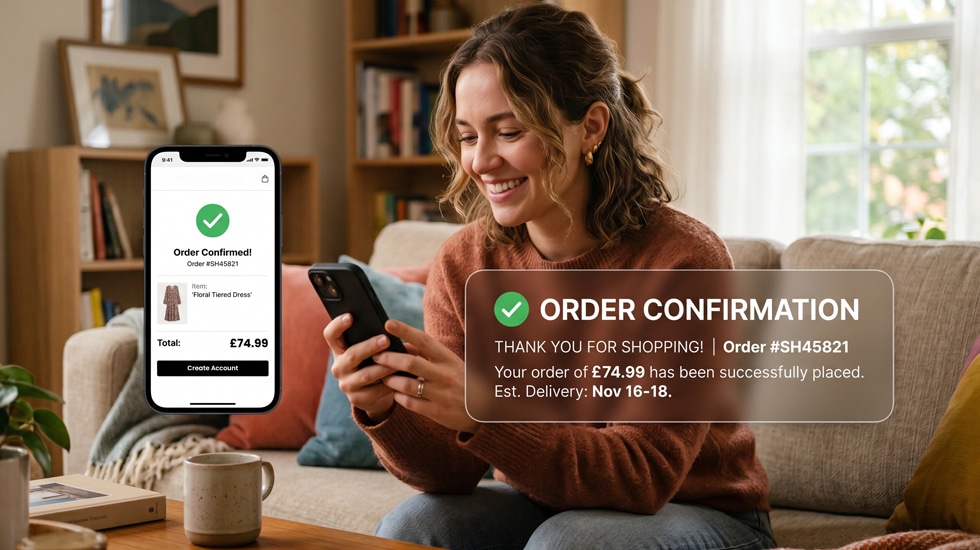
If your checkout leads with an account creation prompt, or makes guest checkout feel like the less legitimate option, you’re losing sales every single day.
People do not want to create an account before they’ve decided whether they trust you enough to buy from you. The friction of a password, a confirmation email, a form to fill in, is enough to make a meaningful proportion of first-time visitors leave.
Guest checkout should be the most prominent option on the first checkout screen. Not a small link below the sign-in form. The primary call to action.
This is one of the highest-impact changes you can make on most stores. It takes a couple of hours to implement and the results are usually visible within days.
Add delivery information to the product page
Most stores tell customers what delivery costs at the cart or checkout stage. By then, a lot of people have already mentally committed. When the cost appears and it’s not what they expected, you get cart abandonment.
Put delivery information on the product page itself. Not buried in a tab at the bottom. Somewhere visible, near the add to cart button. Free delivery threshold, standard delivery cost, estimated timeframe.
Give people the information they need to decide before they decide. Not after.
Fix your main product image on mobile
Open your store on your phone and look at your product pages.
How much of the screen does the main product image take up? Is it big enough to actually show the product clearly? Or is it a small square competing for space with a header, a title, and a price before anyone has scrolled?
Product photography that looks great on a desktop product page often looks underwhelming on mobile because the image is too small to do its job. People buy with their eyes. If they can’t see the product properly, they won’t buy it.
Most themes let you adjust image sizing on mobile without a full rebuild. It’s usually a straightforward change and the impact on perceived quality is significant.
Put your returns policy where people can see it
Returns anxiety is real, especially for first-time buyers who don’t know you yet.
If your returns policy is clear, generous, and easy, that’s a selling point. Treat it like one. Put it near the add to cart button on your product page, not just in the footer or on a separate page that nobody reads before they buy.
“Free returns within 30 days” next to the add to cart button does a very different job to the same information sitting in small print in the website footer.
Remove the pop-up on mobile
I know. You’ve spent time setting up the email capture pop-up. It’s important for list growth.
But a pop-up that fires immediately on mobile, before someone has had a chance to see a single product, is one of the fastest ways to make a visitor leave. Especially if it’s hard to close on a small screen.
If you want to keep email capture on mobile, trigger it on exit intent rather than on arrival. Or after someone has spent at least 30 seconds on the page. Or add it to the footer where people who are genuinely interested will find it.
You’ll capture slightly fewer emails. You’ll lose far fewer customers.
Add a sticky add to cart button on mobile
On most mobile product pages, the add to cart button is somewhere in the middle of the page. Once a visitor scrolls down to read the description, look at reviews, or check the specifications, the button has disappeared.
A sticky add to cart bar that stays visible as someone scrolls means the action is always available at the moment someone decides they want the product. That moment can come anywhere on the page. Don’t make people scroll back up to act on it.
This is a development task but a small one. A few hours of work for most themes.
Reduce the number of steps in your checkout
Count the screens between “proceed to checkout” and “order confirmed.”
Every additional screen is an opportunity for someone to change their mind. Email, delivery address, delivery method, payment, review and confirm. That’s five screens before a purchase is complete. Some stores have more.
Look at whether any of those steps can be combined. Whether information you’re collecting is actually necessary. Whether your checkout flow can be simplified without losing anything important.
One-page checkouts aren’t always the answer, but a checkout that asks for the minimum information in the fewest possible steps will always outperform one that doesn’t.
Turn on social proof at the right moments
If you have reviews, make sure they’re visible without scrolling on your product page. Not just a star rating in small text near the title. Actual review content, near the top of the page, where people can see it before they’ve decided whether to keep reading.
If you have a lot of reviews, show the most relevant ones first. A five-star review that specifically addresses a common concern about the product is worth ten generic ones.
If you’re using a reviews app that only loads after the rest of the page, look at whether that can be changed. Reviews that load late or inconsistently on mobile aren’t doing the job you’re paying for.
The bigger point
None of these fixes require months of testing. They don’t require a new platform or a redesign. They require someone to look at your store with fresh eyes, spot the things that are obviously working against you, and fix them.
The stores that convert best aren’t the ones that had a perfect launch. They’re the ones where someone is paying attention on an ongoing basis and making steady improvements. Our CRO service covers all of this if you’d rather have a specialist team running it.
One day of focused work on the right things will move the needle more than a year of ignoring the obvious stuff.